Nicholas is in kindergarten and learning sight words.
His teacher sends home an updated list every few weeks of the words he is supposed to know.
One of the easiest ways to memorize them is with flashcards.
I like to use PicMonkey software because it’s free, quick, and easy. Shhhh…this is the same method I use to make the graphics for all of my blog posts. Like this one:

STEP 1: Upload a picture to PicMonkey. It can be any picture, it doesn’t matter what it looks like because you are going to cover it up.
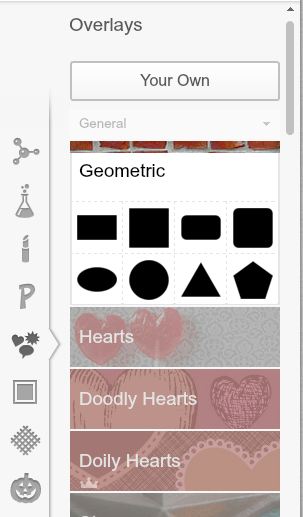
Step 2:Go to the Overlays section on the left hand side and choose “Geometric Overlay.” Click on the rectangle option and adjust the size until it covers your entire picture. Change the color of the overlay to white.
Step 3: Merge the layers. Look at the top of the screen in PicMonkey. See the button second from the right that looks like two squares on top of each other with an arrow next to them? Click it.

Step 4: Decorate. Now is the fun part. You can play around with the other overlays to add graphics or put a frame around your image.

I like that they have some pretty cool boy-friendly graphics. We can make sentences for him to read or just put one word on each card.
STEP 5: Save your image. If you are creating several flashcards save them all as separate images.
STEP 6: Put all of your flashcards into a Word (or whatever processor you use) document. You can insert them into a Word document by clicking Insert and choosing the picture option. Print them from there.




Thanks for the post. It is super helpful! I an on using it for homeandhired.com